
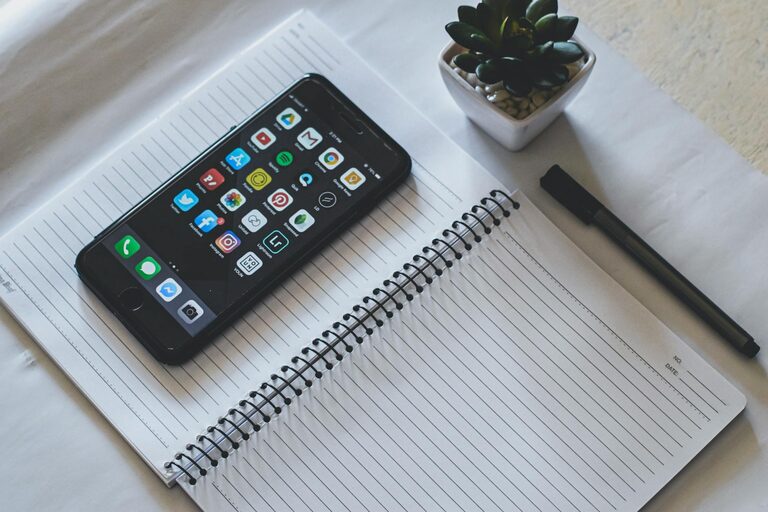
In today’s digital world, notifications are everywhere — popping up on our phones, computers, and tablets. While they keep us informed, unchecked notifications can quickly become overwhelming, distracting, and stressful. If you often find yourself jumping at every ping or buzzing alert, it might be time to set some healthy boundaries with your notifications.
In this post, we’ll explore practical strategies to help you manage notifications effectively, so you can stay focused, reduce stress, and have more control over your day.
Why Setting Boundaries with Notifications Matters
Notifications are designed to capture your attention, often immediately. This can interrupt your workflow, increase anxiety, and make it harder to concentrate. Research shows that frequent interruptions reduce productivity and can negatively impact mental wellbeing.
By setting boundaries, you can:
– Reduce distractions and improve focus
– Lower stress levels
– Create clear times for work and rest
– Maintain a better balance between digital and real life
Tips for Managing Notifications Effectively
1. Audit Your Notifications
Start by reviewing which apps send you notifications. Some are essential (such as calendar reminders), while others are less important (like social media likes).
– Go through your notification settings on your phone and computer.
– Turn off notifications for apps that don’t require immediate attention.
– Consider whether each app’s notifications add value or cause unnecessary distraction.
2. Use Do Not Disturb Mode
Most devices offer a Do Not Disturb feature that silences notifications for specific periods.
– Schedule Do Not Disturb during focus times, meetings, or sleep.
– Customize settings to allow calls or messages from important contacts only.
– This helps create uninterrupted blocks of time for deep work or relaxation.
3. Customize Notification Settings by Priority
Not every notification is equally urgent.
– Set high-priority alerts for urgent matters.
– For less critical notifications, consider using badges or banners instead of sounds or vibrations.
– On some platforms, you can group notifications to check later instead of immediate alerts.
4. Limit Social Media and Messaging Alerts
Social media and messaging apps can produce an endless stream of notifications.
– Turn off non-essential notifications such as likes, reactions, or group chat messages.
– Use in-app settings to reduce alerts.
– Consider checking these apps at set times instead of responding to every notification.
5. Use Notification Summaries or Reports
Some devices and apps offer notification summaries — bundling non-urgent notifications into a digest.
– Enable this feature to receive a summary at chosen times during the day.
– This reduces constant interruptions and lets you stay updated on your own schedule.
6. Set Clear Personal Boundaries
Technology alone can’t solve everything. It’s also about how you choose to engage with notifications.
– Decide when you will and won’t check notifications (e.g., no phone use during meals or before bedtime).
– Communicate boundaries with colleagues or family if needed (such as not responding to work messages after hours).
– Stick to your limits to build healthier habits.
7. Use Technology Tools to Help
Various apps and tools are designed to help manage notifications and screen time.
– Explore features like app timers, focus modes, and notification filters.
– Some productivity apps can block or limit notifications during work sessions.
– Find tools that fit your preferences to support your goals.
8. Regularly Revisit Your Settings
Your needs and priorities may change over time.
– Periodically review your notification settings and habits.
– Adjust as necessary to maintain balance and avoid notification overload.
Final Thoughts
Setting boundaries with notifications is a proactive step toward reclaiming your attention and improving quality of life. It takes some experimentation and commitment but pays off by reducing stress and improving focus.
Start with a simple audit of your notifications today — and take control of when and how you engage with alerts. Over time, you’ll find a rhythm that works for you, making technology a helpful tool instead of a source of distraction.
Remember, you decide what truly deserves your attention.
—
If you found this guide helpful, be sure to subscribe for more tips on productivity and digital wellness!